

How SEO Agencies Can Win GEO Clients Fast with AI

If you run a small SEO agency, you have probably heard this question from a client already: "Can you get us showing up in ChatGPT?" More and more people ask AI assistants which accountant, dentist or project management tool they should pick, and the AI answers with a short list of names. Business owners notice when their competitor is on that list and they are not.
That makes GEO a very easy service to sell. The hard part is the time. Showing a prospect where they stand in AI answers means asking the right questions, checking what each assistant says, noting who gets named and writing it up in a way a business owner will read. Doing that for every prospect eats your whole week.
I wanted to take that work off your plate, so I built the lead report into Cyberbard. You paste in a prospect's website address, AI does the research and writes the report, and you spend a few minutes making it sound like you before you send it.
The report writes itself
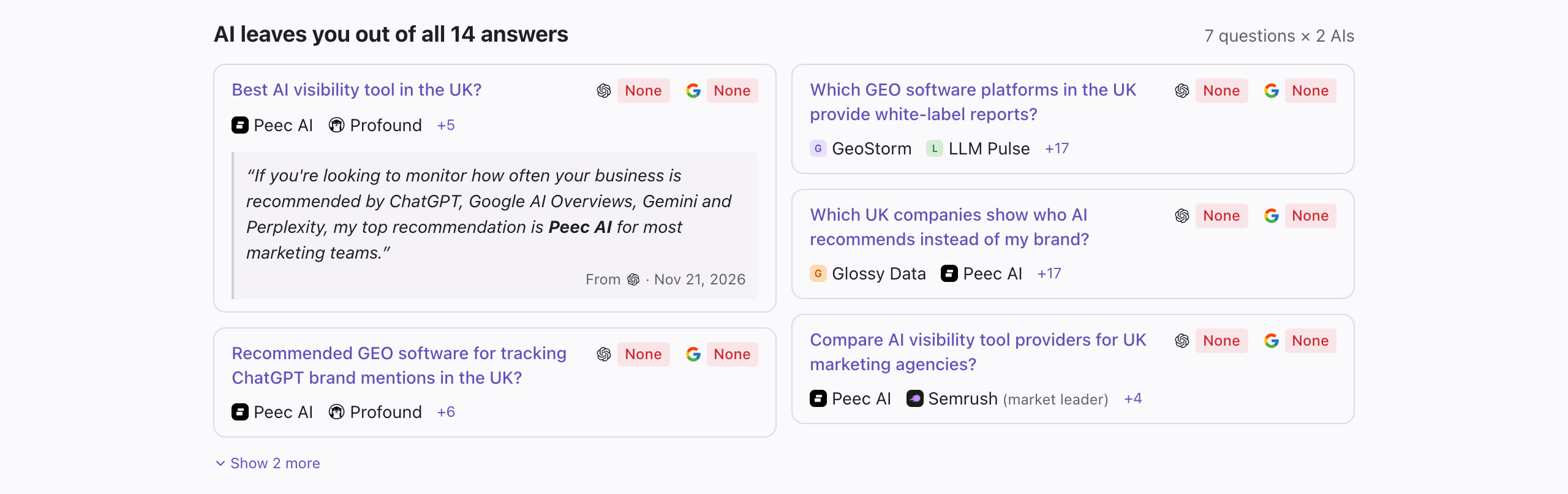
After you enter a URL, Cyberbard reads the site and works out what kind of business it is. It writes the questions that business's customers would ask, puts them to ChatGPT and Google AI, and collects every brand the answers mention. Then it ranks those brands, looks at the sites AI cites, and writes a headline, the key findings and a first step in plain language. It takes a few minutes and you don't have to touch any of it.
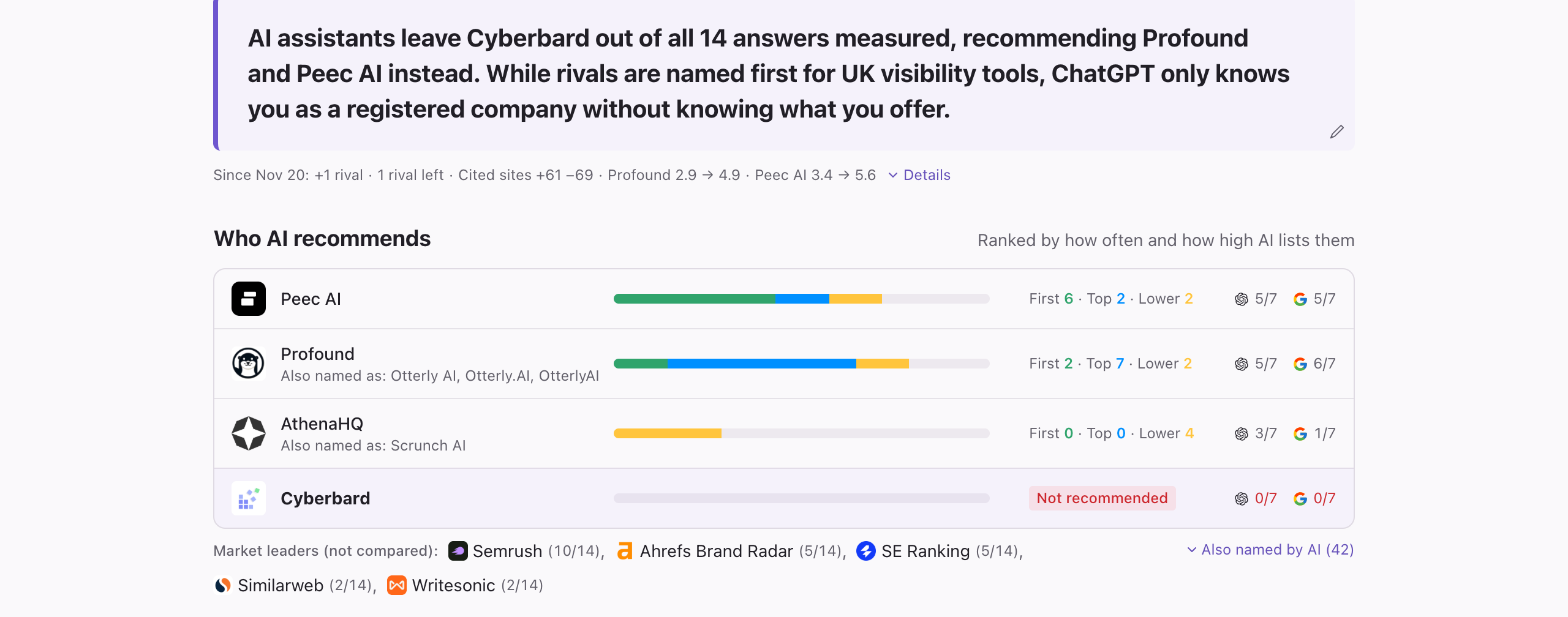
The lead report is the short version of all this, made for prospects. It shows who AI recommends in their market, which questions leave them out, how AI describes their brand and what you'd do first. Your logo and company name are on it, so to your prospect it is simply a report from your agency. You can export it as a PDF or create a private online link, whichever suits the way you like to reach people.
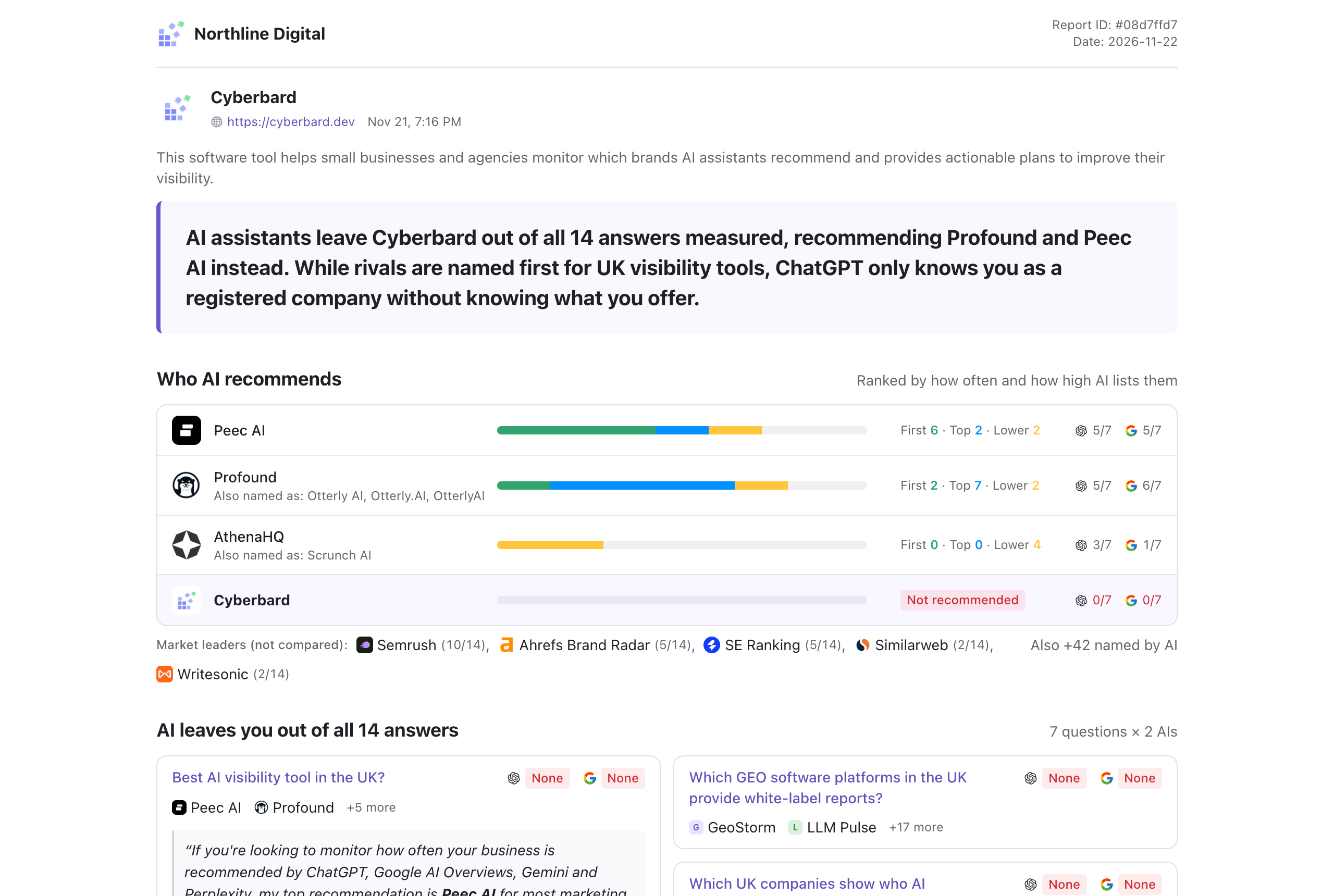
The full report has a lot more in it, including a step by step Fix Plan. I'd keep that for after the client signs and hand it to whoever builds their website.
Then you make it yours
A report that reads like a machine wrote it won't win you a client. One that reads like you wrote it might. So I made the parts that matter editable.
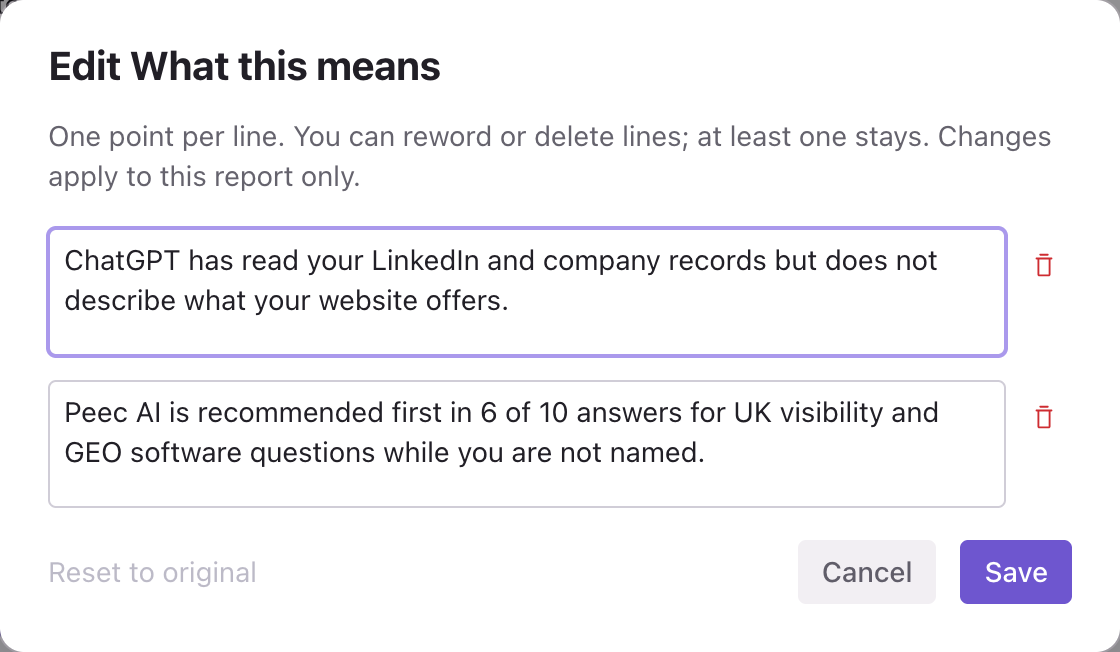
You can rewrite the headline, the "What this means" lines, "Your first move" and the Growth plan. Click the pencil next to a section, change the words and save. Agencies use this to match their own tone, to use the words their prospect's industry uses, to add something they know about the business that AI couldn't know, or to drop a line that doesn't fit this particular client. Your wording is used on the report page, in the PDF and in the online link. If you already sent a link and then change something, the link shows the new version, so there is nothing to resend.
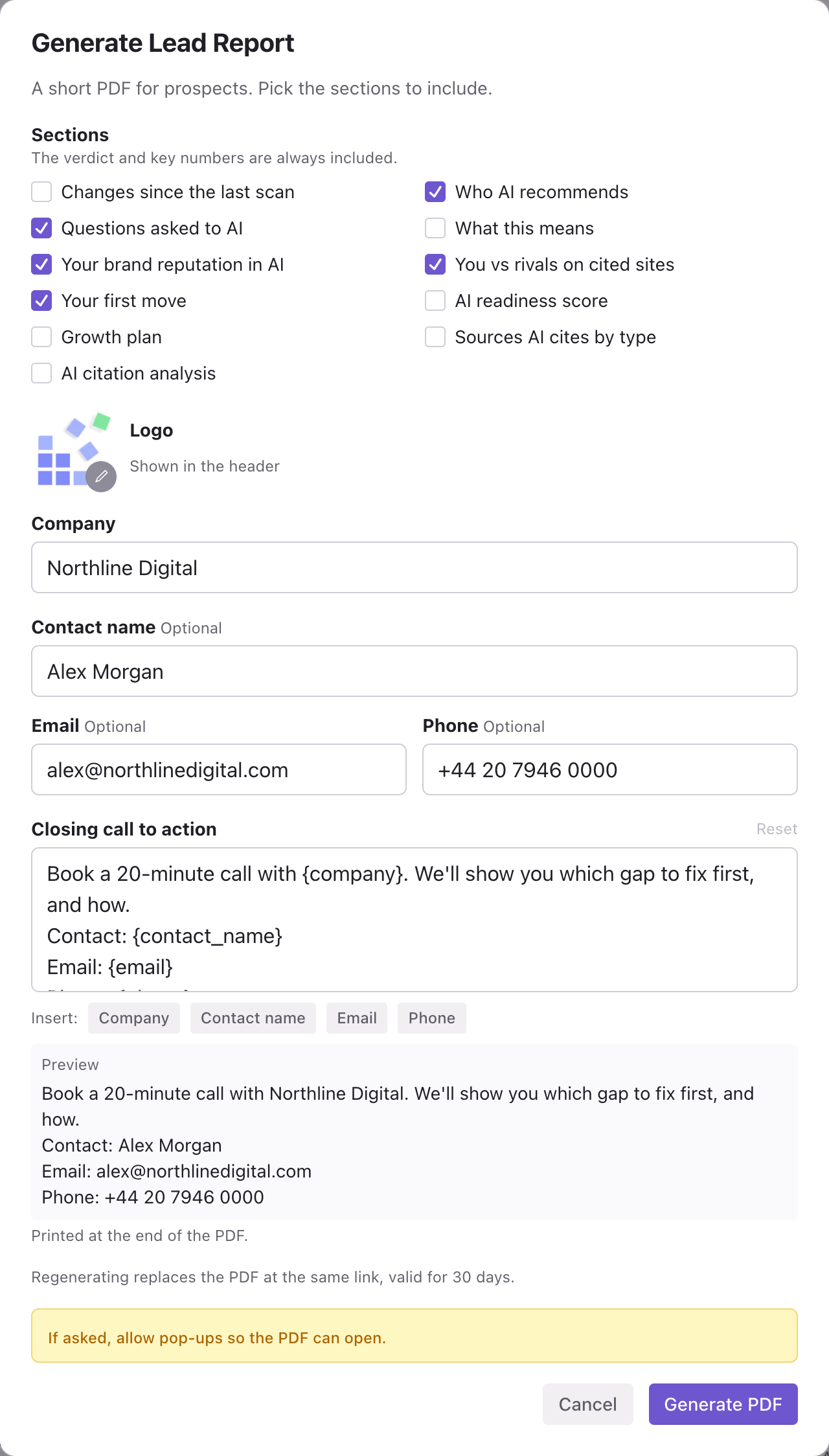
The ending is yours too. The report closes with a call to action, and it starts with a ready made invitation to book a call that you can keep or rewrite from scratch. Buttons let you drop in your company name, contact name, email and phone, and a preview shows exactly how it will read. Something like this works well:
Want to see the full list of fixes? Book a free 15 minute call with {Contact name} at {Company} and we'll walk you through it. Email {Email} or call {Phone}.
If you leave one of those details empty, the line that uses it is left out, so your prospect never sees a gap. In the PDF and on the online page the email and phone are clickable.
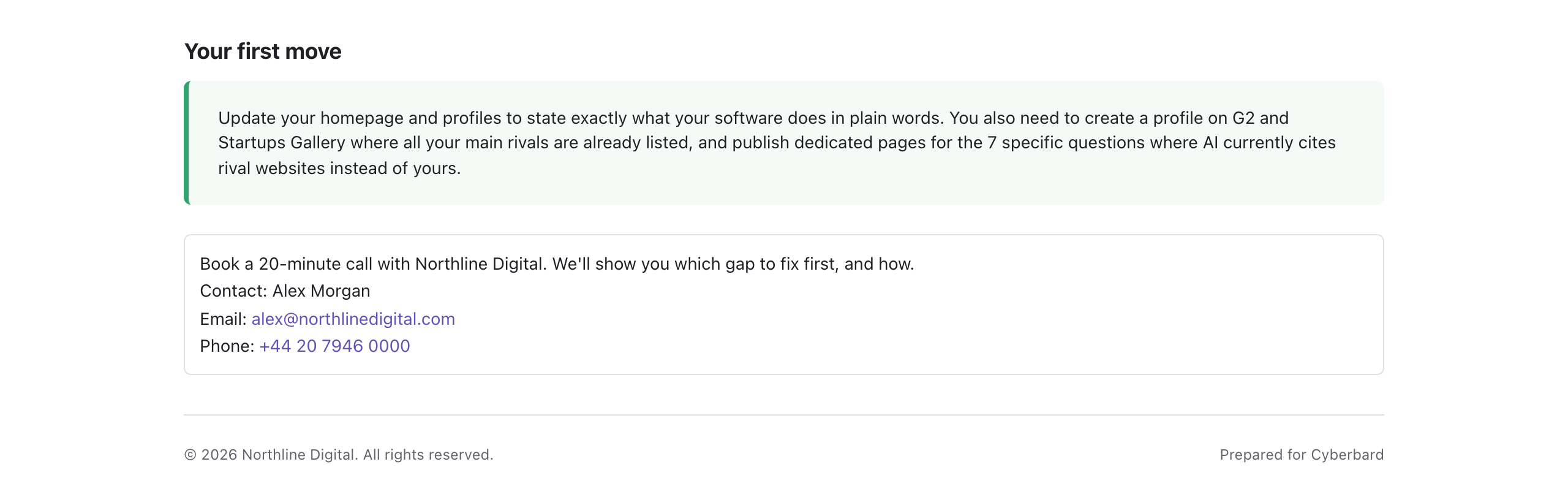
Cyberbard remembers your logo, company, contact details and call to action after the first export, so the next report is already filled in. The footer names who the report was prepared for, which is a small touch that makes each copy feel personal.
Pick what each client needs to see
Most agencies I talk to have a mixed client list, and that's fine. The lead report works for online stores, SaaS products, local and professional services, publishers, startups, nonprofits, schools and personal sites. The questions it asks follow what the site is for, so a store gets questions about buying, a SaaS product gets questions about signing up and a nonprofit gets questions about donating or joining.
You also choose which sections go in. The headline and key numbers are always at the top, and five sections are ticked by default: Who AI recommends, Questions asked to AI, Your brand reputation in AI, You vs rivals on cited sites and Your first move. There are more you can add, such as the AI readiness score, the Growth plan, AI citation analysis and Changes since the last scan.
Here is roughly how I'd set it up for three common kinds of client:
| Client | Sections | Why |
|---|---|---|
| A local business that has never done SEO | Who AI recommends, Your first move | Short and clear. They see a rival's name and one thing to do about it. |
| A growing company with a marketing team | Add AI citation analysis and You vs rivals on cited sites | They want numbers and sources they can take into a meeting. |
| An existing client up for renewal | Add Changes since the last scan and Growth plan | It shows the progress you made and sets up the next phase of work. |
Your choices are remembered, so if you mostly pitch one kind of business you only set this up once.
Sending it and following up
I'd usually send the online link. Your prospect opens it in a browser without an account, it isn't listed in search engines, and you decide whether it stays live for 7, 30 or 90 days. Each report can have up to 20 links, so every prospect gets their own, and for each one you can see how many times it was opened and when. Link previews in chat apps don't count as views.
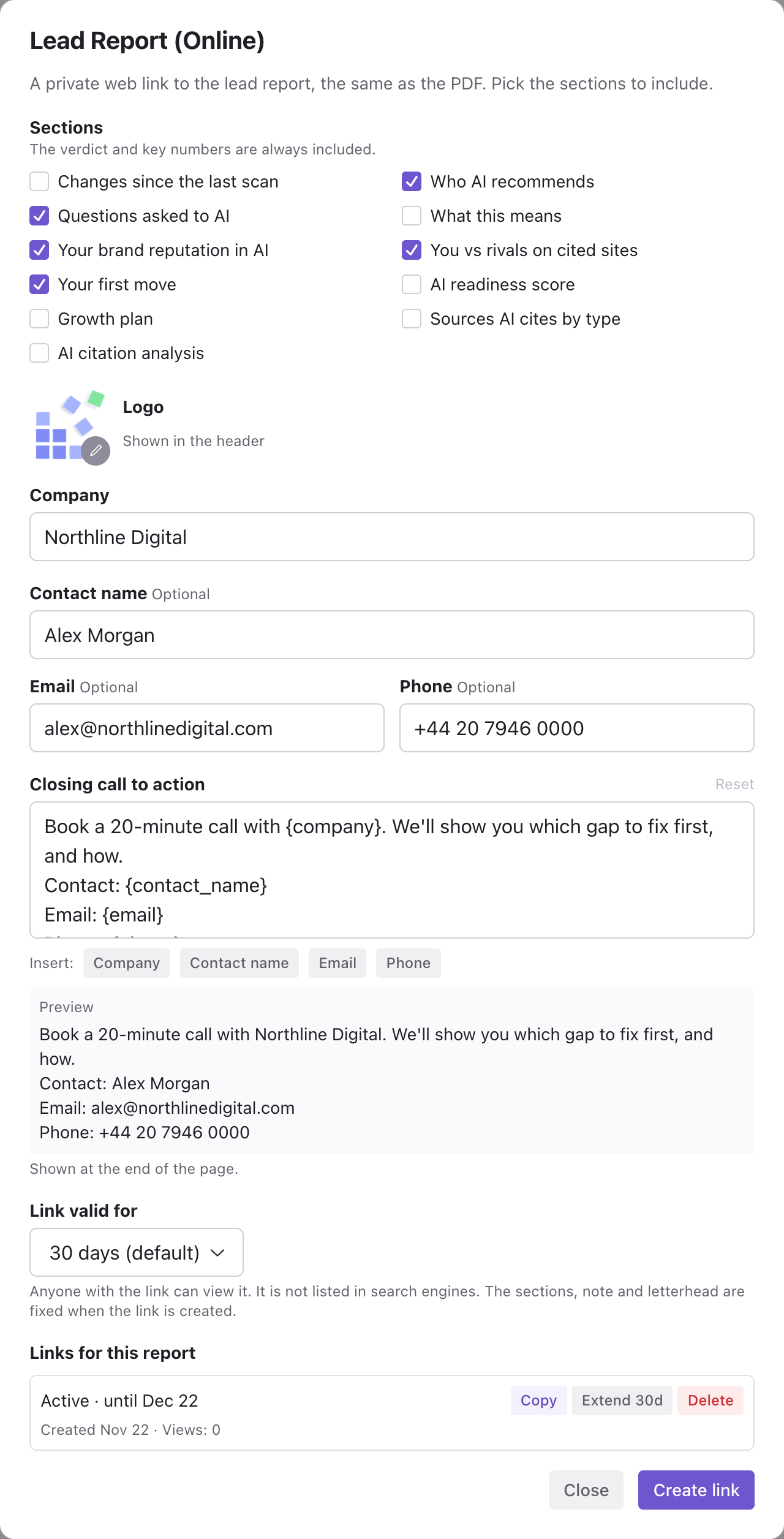
Those views tell you when to follow up. If someone opens the report twice in one afternoon, that is a good moment to get in touch.
The email itself can be short, because the report does the explaining. Put the rival's name in the subject line, keep the body under about 80 words and include one link. Here are the two I'd start with.
The first email:
Subject: {Prospect} vs {Rival} on ChatGPT
Hi {First name},
I asked ChatGPT and Google AI which {category} they'd recommend in {city}. They named {Rival} and a few others. {Prospect} didn't come up.
I put together a short report showing which questions you're missing from and what I'd fix first: {link}
Happy to walk you through it on a quick call if it's useful.
{Your name}, {Company}
The follow up, once you see they've opened it:
Subject: The first thing I'd change
Hi {First name},
Thanks for taking a look at the report. If you only do one thing this month, I'd start with this: {one sentence from Your first move}.
I can show you how in 15 minutes. Does {day} work?
{Your name}
When they sign, run a fresh test now and then and tick Changes since the last scan in the next report. It gives you something concrete to show at every check in.
That's really all there is to it. AI handles the research and the first draft, and you bring your voice, your brand and what you know about the client. I hope it gives you back a few hours every week.