
What unlocking a report includes
Every report starts with a useful free part. Unlocking adds the deeper parts for 3 credits, paid once for that report. You keep what you unlock for good.
Free in every report
- The Summary: the headline, the brand ranking and your AI readiness score
- The Audit: your detailed checks
- The Fix Plan with the top three fixes, the severity and explanation of every issue, and the Quick Fix Guide on the issues that have one
- The list of questions asked of AI, and which brands were named
- A Share link
Added when you unlock
| What you get | Where |
|---|---|
| Fix Steps: detailed step-by-step instructions for the harder issues | Fix Plan |
| Growth Plan: brand and marketing steps based on your competitors | Summary |
| AI citation analysis: where each brand appears on cited sites | Summary |
| PDF export with your own logo | PDF button |
| Retest: 3 free retests within 30 days | Retest button |
Locked parts show a lock icon, for example Get Fix Steps, Unlock Growth Plan or Unlock AI Citation Analysis. Clicking one opens the unlock window.
How to unlock
-
Click any locked item.
-
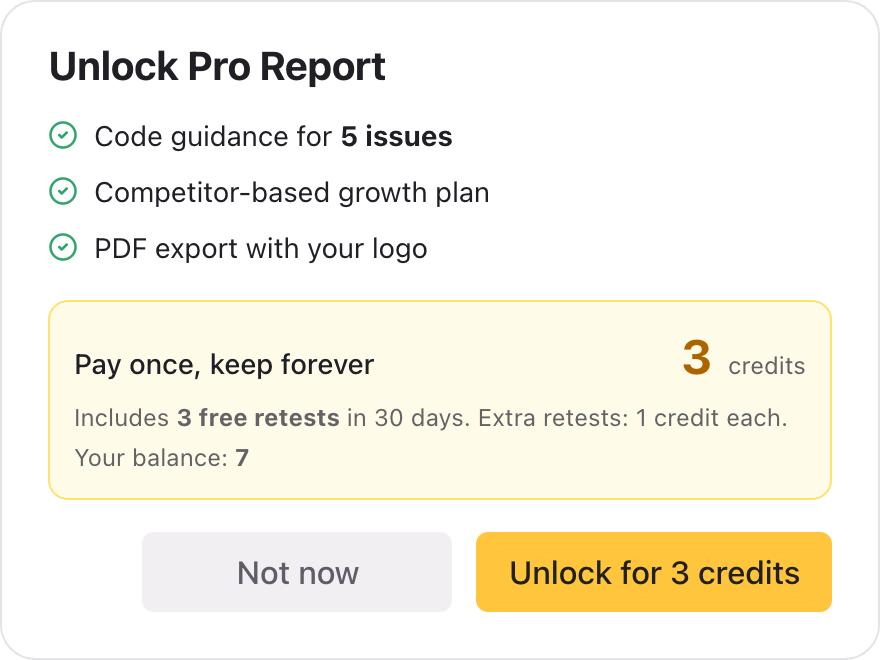
In the Unlock Pro Report window, check the cost and your balance.
-
Click Unlock for 3 credits. If you do not have enough, the button reads Get credits and takes you to the credit packs.
What stays after 30 days
Only Retest has a time limit:
- Unlocking includes 3 free retests within 30 days.
- After those, each retest within the 30 days costs 1 credit.
- After 30 days, Retest on that report ends. To test again, start a new test from the project page. See Retest and new tests.
Everything else you unlocked, the fix steps, the Growth Plan, the citation analysis and PDF export, stays available for good.
Good to know
- Unlocking is per report. A new test creates a new report, which starts locked.
- Only the person who created the report can unlock it. If someone shares a report with you and it is locked, ask them to unlock it. It then opens for everyone with the link.
- Deleting a project deletes its reports, including the ones you unlocked. See Delete a project.
- Nothing is applied to your website for you. The unlocked parts are guidance.
Related articles
- How credits work — Credits are the one currency for everything in Cyberbard. See what each action costs and when credits come back.
- Retest and new tests — How to check that a fix worked, what a retest costs, and when to start a new test instead.
- Fix Plan — How the Fix Plan is organised, what free and unlocked fix guidance include, and how to work through it.
Last updated