
Create a project
A project is one website that you track in Cyberbard. Each project keeps all the reports for that website together, so you can see how it changes over time. If you look after several websites, create one project for each.
Your projects page
Your Projects page lists every website you track. Each card shows the site, its latest AI readiness score in the top-right corner, and buttons to edit or delete it.
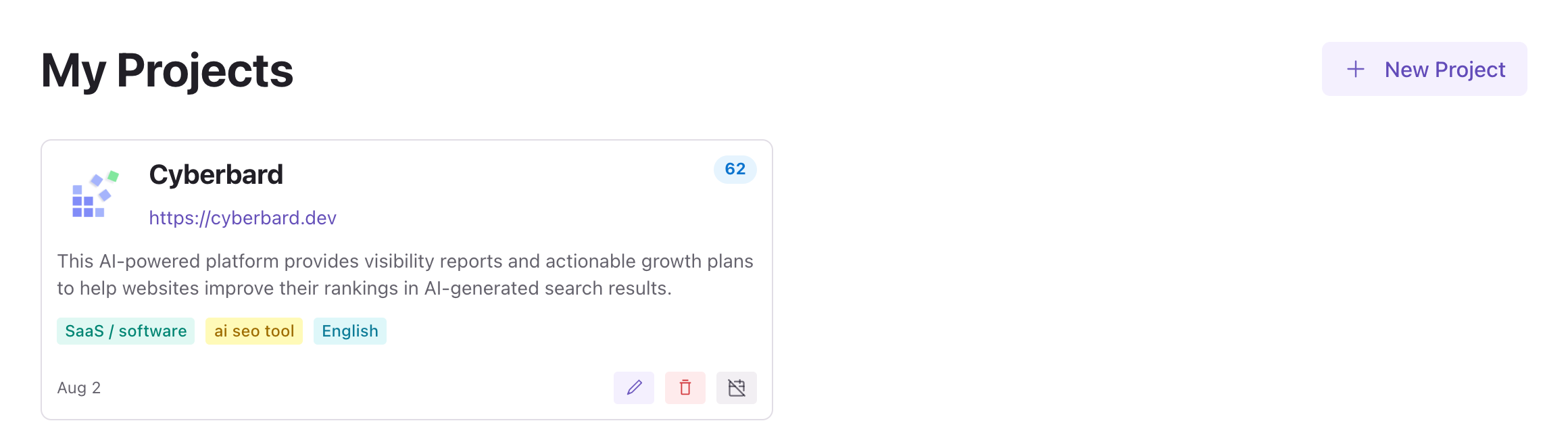
Create a project
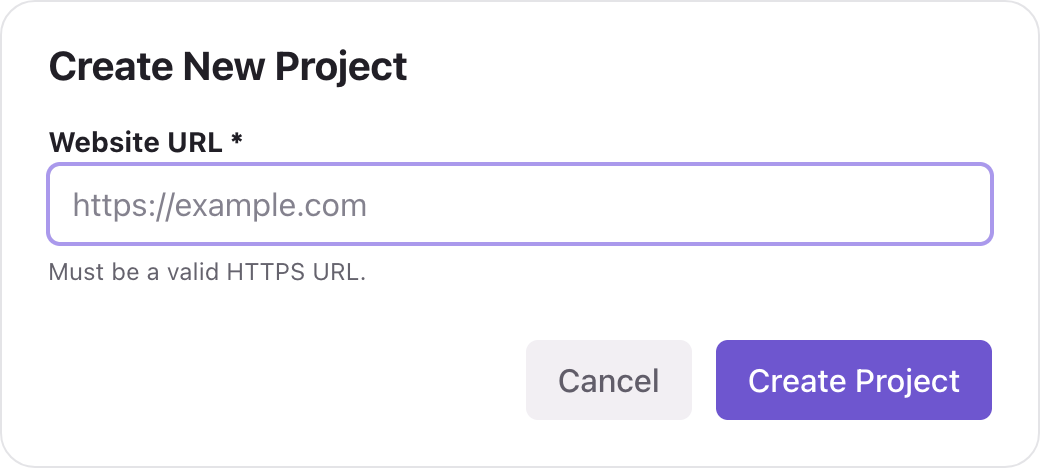
- Open your Projects page and click New Project.
- Enter the Website URL. It must be a valid address that starts with
https://, for examplehttps://example.com. - Click Create Project.
- Check the confirmation: the cost, your balance, and the Scheduled scans switch. Click Create to start.
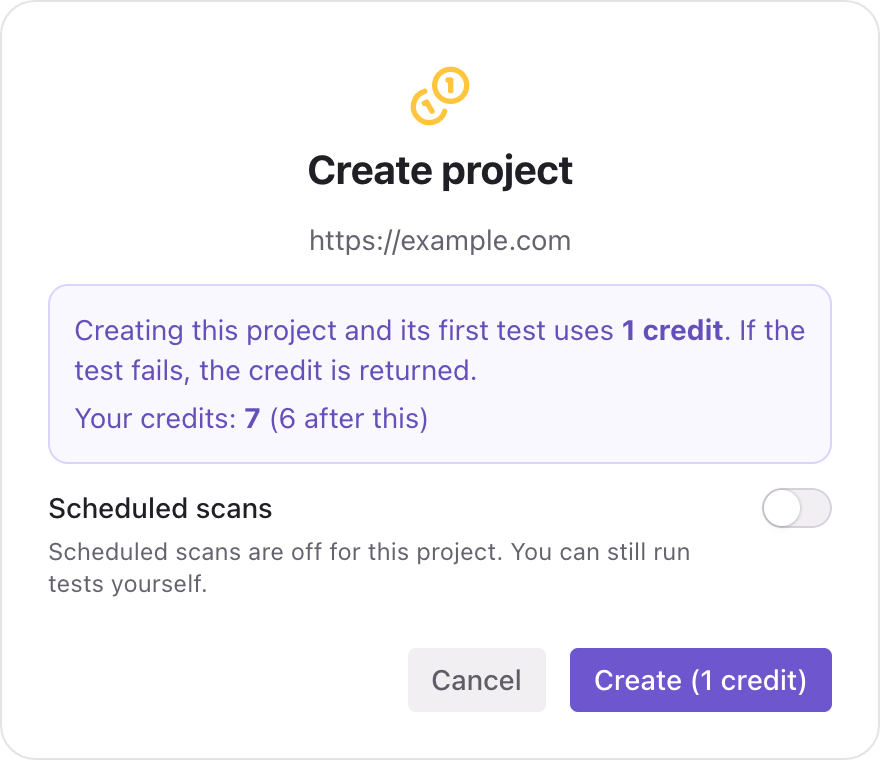
Cyberbard starts the first test right away. The project's name, a short description and its type are filled in for you from your website, so there is nothing else to type.
What it costs
Creating a project and its first test costs 1 credit. If the first test fails, the credit is returned.
If you do not have enough credits, the button changes to Get credits and takes you to the credit packs. See Buy credits.
Things to know
- The website address cannot be changed after the project is created. If you entered the wrong address, create a new project with the right one.
- Use the address visitors really use. If your site redirects from
example.comtowww.example.com, either is usually fine, but enter the one you want to be known by. - One project per website. Credit packs work for any number of websites, so agencies and freelancers can create as many projects as they need.
- The website must be public. Cyberbard reads your public pages only. It cannot test pages behind a login.
Switch scheduled scans on or off
Scheduled scans re-test the project every two weeks and chart your progress. For the first project that you create, the switch may start in the on position. You can change it at any time. See Scheduled tests.
Delete a project
You can delete a project you no longer need. This also deletes its reports. Read Delete a project first.
Related articles
- Run your first test — From entering your website address to reading your first report, step by step.
- Scheduled tests — Let Cyberbard re-test your website every two weeks and email you what changed.
- How credits work — Credits are the one currency for everything in Cyberbard. See what each action costs and when credits come back.