
The Summary tab
The Summary tab shows how you compare with the brands that AI assistants recommend in your market. Everything on it comes from asking real AI assistants the kind of questions your customers ask.
The headline and the AI visibility score
At the top, a short sentence tells you in plain words where you stand, for example AI never names you (0 of 18 answers); Peec AI is named in 8. Read it first.
Below it, the AI visibility score ranks brands by how often real AI answers name them. Your own brand is in the list, marked You, so you can see how far ahead or behind you are.
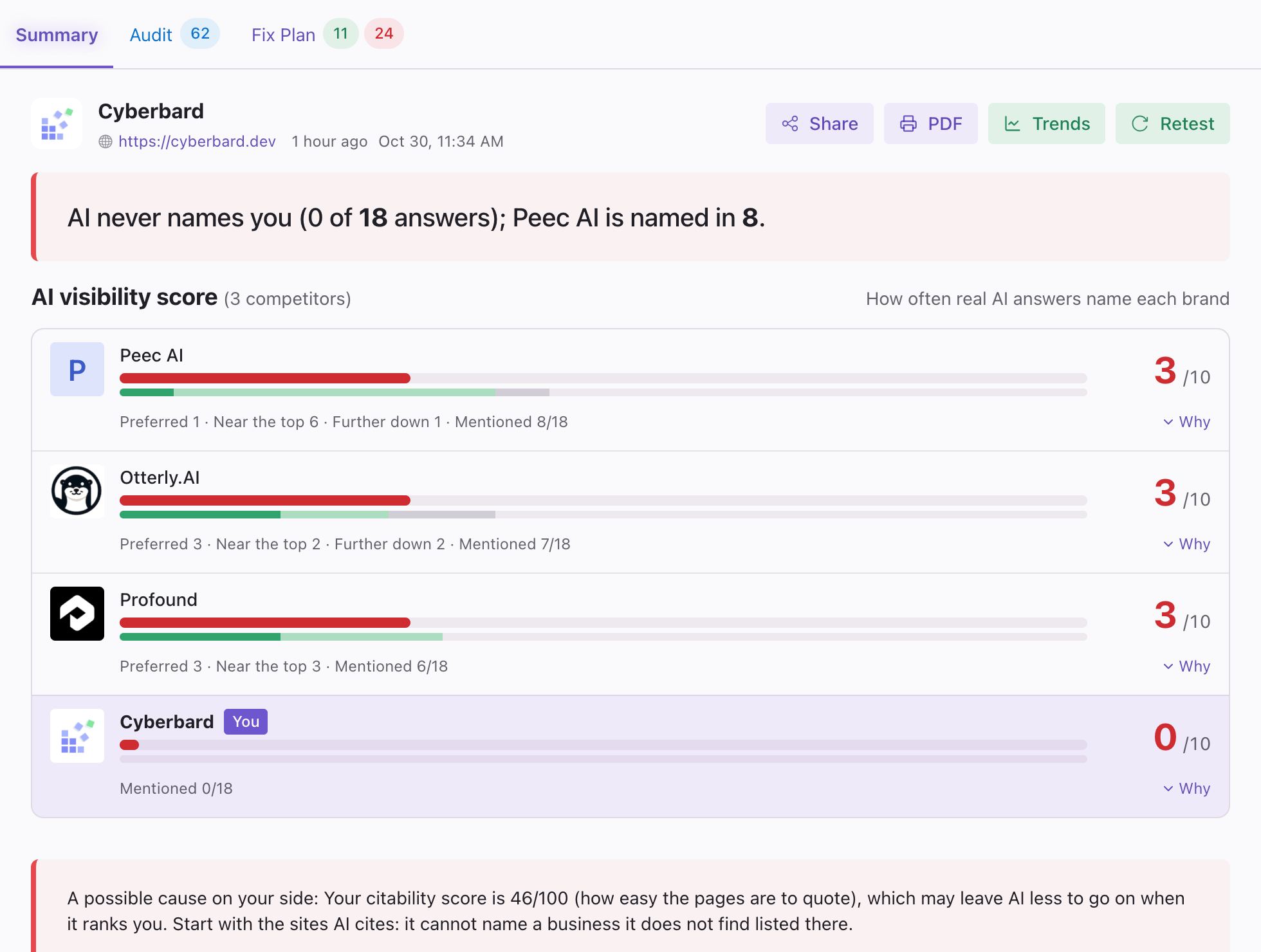
Each brand has a score out of 10 and a line of detail underneath, for example Preferred 3 · Near the top 2 · Further down 2 · Mentioned 7/18. It means the brand was named in 7 of the 18 answers collected, and shows how prominently:
| Label | Meaning |
|---|---|
| Preferred | The AI put this brand first, or recommended it above the others. |
| Near the top | Named among the first few. |
| Further down | Named, but lower in the list. |
| Warned against | The AI advised against this brand. |
Click Why on a row to see the answers behind that brand's place.
A few things to keep in mind:
- AI answers vary. Ask the same question twice and the answer can change a little. That is why Cyberbard asks many questions and why the trend charts are more useful than any single number.
- Competitors are chosen from the AI answers. They are the brands the AI actually names for your kind of business, not a list you have to provide.
- Very large brands are shown separately. If an AI keeps naming giant companies that are not realistic rivals, they appear as market leaders next to the AI questions. They are left out of your ranking so they do not distort how you compare with businesses of your own size.
If no comparable competitors were found, the report says so and shows your own data only.
Under the ranking, a note may explain a possible cause on your side, the most likely reason you are being left out.
Your AI readiness score
The AI readiness score (out of 100) rates how ready your own website is for AI. It is not the same thing as how often AI names you: a site can be well prepared and still be unknown, or the other way around. The small badges under it show the score for each area, and the Audit and Fix Plan buttons take you to those tabs.
See AI readiness score and Audit.
Growth plan
The Growth plan lists brand and marketing steps to catch up with competitors. Each step says what to do. It is part of what you get when you unlock the report, and you can show more steps with Show more.
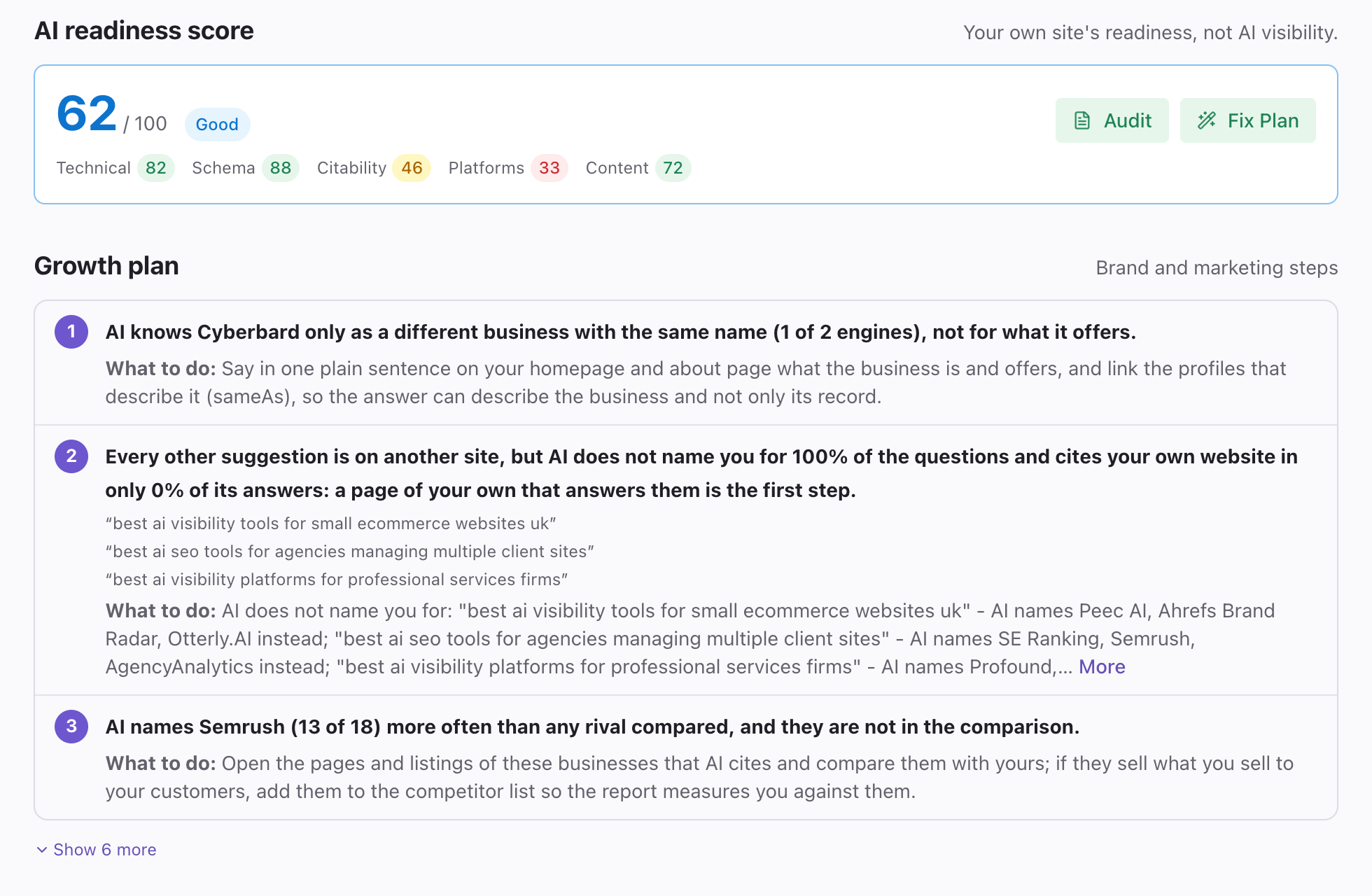
See Growth Plan.
AI citation score
A score out of 10 for each brand showing how likely AI is to cite it, based on how well it is covered across the web. If some brands could not be measured as fully as others, the report marks their score as less reliable.
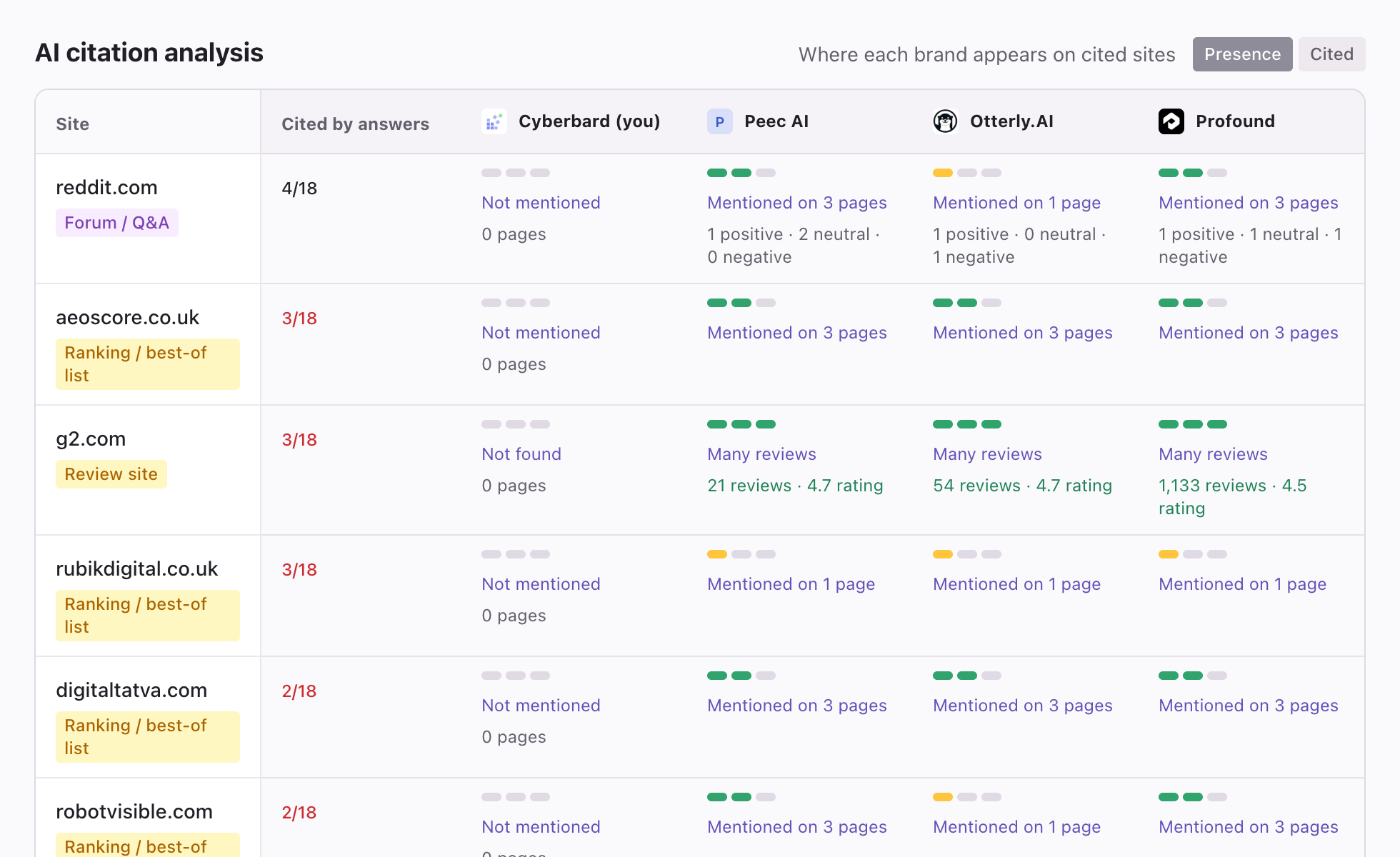
AI citation analysis
A table showing where each brand appears on the websites AI draws from, so you can see which sites your competitors are present on and you are not. Use the Presence and Cited buttons above the table to switch between its two views. This section is part of the unlocked report.
What AI answers cite
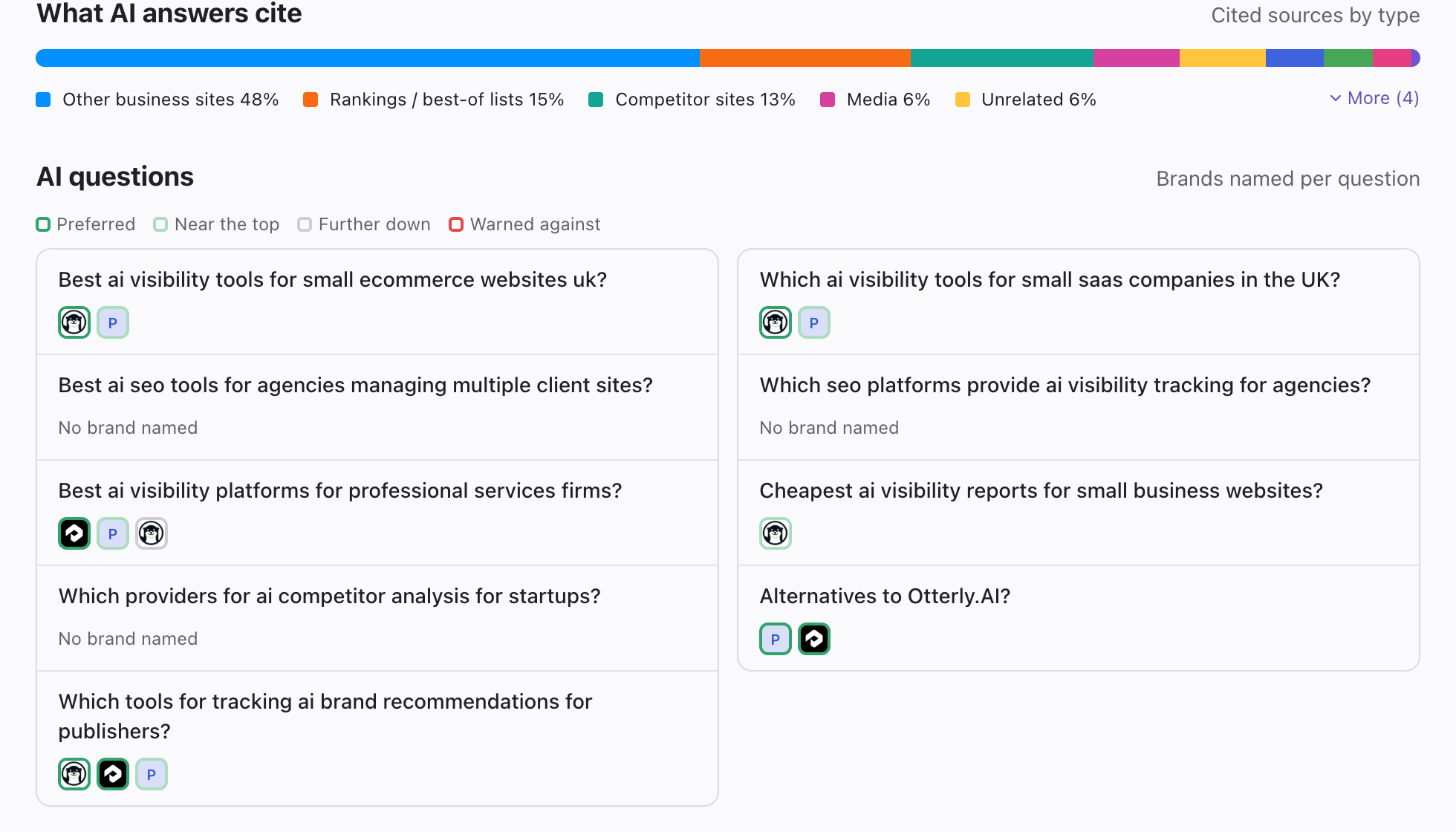
A bar showing the types of sources AI used in its answers, for example rankings and best-of lists, other business sites, competitor sites or media. It helps you see where your market's story is being told.
AI questions
The questions Cyberbard asked AI, and which brands were named for each. A small frame around each brand shows how prominently it was named (Preferred, Near the top, Further down or Warned against). This is a good place to see exactly which questions you are missing from.
If you see a note about incomplete data
Sometimes a source cannot be reached during a test. The report then shows a note such as Some data couldn't be retrieved, so results may be incomplete, and says which parts. A later test usually fills the gaps.
Related articles
- Growth Plan — The Fix Plan covers your website. The Growth Plan covers everything outside it: listings, reviews and mentions.
- AI readiness score and Audit — What your score out of 100 means, which areas it covers, and how to read the Audit tab.
- Project trends — See how your scores change over time, what changed since the last test, and how to read the charts.