
Retest and new tests
A retest runs the test again on the same report, so you can check that a fix worked. Every unlocked report includes 3 free retests within 30 days, and further retests cost 1 credit each.
After you fix something, you want to know whether it worked. There are two ways to run another test, and they behave differently.
Retest (for unlocked reports)
Retest runs the test again on the same report, so you can see whether your fixes made a difference. It is available once you have unlocked the report.
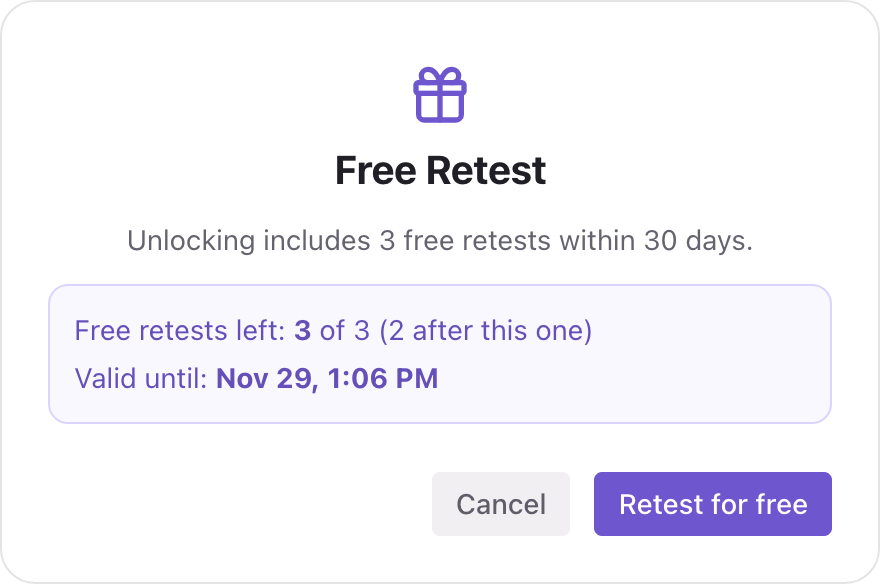
- Unlocking includes 3 free retests within 30 days.
- After the free ones are used up, each further retest costs 1 credit, until the 30 days end.
- If a retest fails, the credit is returned.
You find Retest at the top of a report and on the project page. When you click it, a window tells you which case applies: Free Retest, or Retest Costs 1 Credit, and how many free retests you have left and until when. Nothing is used until you confirm.
If the report is not unlocked yet, the Retest button has a lock icon. Clicking it opens the unlock window instead.

After 30 days
Retest on that report stops after 30 days. Everything else in the unlocked report stays available for good: the fix steps, the Growth Plan and PDF export. To test again, start a new test from the project page.
New test (from the project page)
A new test creates a fresh report for the project.
- It costs 1 credit. If it fails, the credit is returned.
- The new report starts locked, even if the previous one was unlocked. Unlocking is per report.
- Your older reports stay in the project's report history.
Why can't I start a new test yet?
If the project was tested less than a week ago, Cyberbard may ask you to wait. The signals it measures do not change quickly, so we recommend leaving at least a week between routine tests for the best results. The window shows when the next test becomes available.
If you only need to check one fix you just made, unlock the report and use Retest, or wait for the next scheduled test.
Which should I use?
| I want to… | Use |
|---|---|
| Check that the fix I just made worked | Retest (needs an unlocked report) |
| Get a brand-new report after the retest period ended | New test |
| Keep watching my site without lifting a finger | Scheduled tests |
Not enough credits?
The button changes to Get credits and shows what is missing. See Buy credits.
Related articles
- What unlocking a report includes — What you can use for free, what 3 credits unlock on a report, and what happens after 30 days.
- Fix Plan — How the Fix Plan is organised, what free and unlocked fix guidance include, and how to work through it.
- Scheduled tests — Let Cyberbard re-test your website every two weeks and email you what changed.