
Scheduled tests
Scheduled tests re-test your website automatically every two weeks, for 1 credit per test, and chart the results on your project page.
AI answers and websites both change. A problem that was not there last month can appear after a website update, and a fix you made can start to pay off. Scheduled tests re-test your website automatically so you do not have to remember.
How it works
- When scheduled tests are on, Cyberbard tests the project every two weeks.
- Each scheduled test uses 1 credit.
- Every result is added to your project's trend charts. See Project trends.
- After each scheduled test you can receive a short summary email with your score, how competitors appear in AI answers, and the number of issues. Each email has one-click links to stop re-tests or to unsubscribe.
Turn scheduled tests on or off
You can choose when you create a project (the Scheduled scans switch), and change it later on the project page:
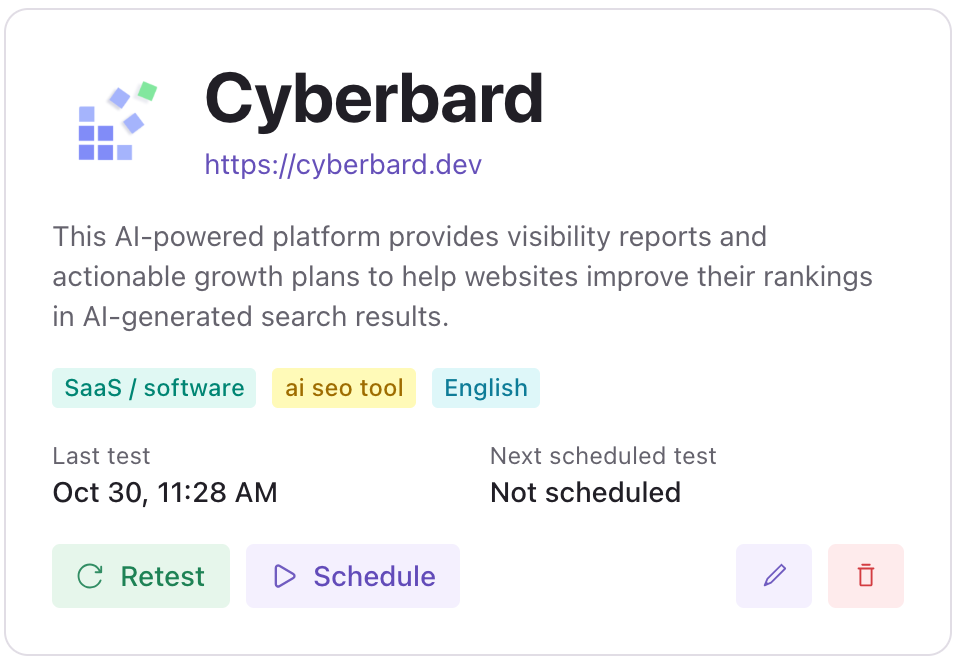
- Click Schedule to turn them on.
- Click Pause to stop them. You can turn them on again at any time.
The project page shows the date of the last test and the next scheduled test. Before you turn scheduled tests on, it says Not scheduled.
If you run out of credits
Scheduled tests never use credits you do not have. If your balance is too low when a test is due, the schedule pauses and waits. Once you add credits, it carries on. See Buy credits.
If a scheduled test fails, the credit is returned and the chart marks that test as failed.
Why a schedule can pause by itself
To avoid spending credits on a project that nobody is looking at, Cyberbard can pause scheduled tests when summary emails are off and you have not visited for over a month. The project page tells you when this has happened. Click Schedule to resume.
Tips
- Run a manual retest right after you fix something, to check the fix worked. Use scheduled tests for steady, hands-off monitoring.
- If you only care about a few projects, turn scheduled tests off on the others to save credits.
- AI answers vary a little from run to run, so look at the trend over several tests, not just one number.
Related articles
- Project trends — See how your scores change over time, what changed since the last test, and how to read the charts.
- Retest and new tests — How to check that a fix worked, what a retest costs, and when to start a new test instead.
- Email notifications — Which emails Cyberbard sends, how to turn them off and how to stop automatic re-tests.